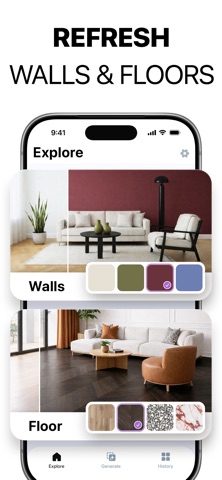

Interium is an AI interior design app that helps you reimagine your home decor and room interiors. Transform any space—your living room, bedroom, bathroom, or kitchen—into a stylish room with new furniture, wall colors, and flooring. Explore creative home design ideas, discover fresh decor inspiration, and visualize every detail before making a single change. Planning a home makeover, refreshing your living room decor, or exploring new interior decorating trends? Snap a photo, choose a style, and watch your space transform—no designer needed. 【 WHAT YOU CAN DO 】 ▶Interior Design Wondering how your room would look in a different style? Upload a photo, choose from 15+ curated AI interior design styles—Modern, Japandi, Mid-Century, Scandinavian, Minimalist, and more—and get a photorealistic redesign in seconds. Want a specific look? Pick a color palette to match your taste. Want to start fresh? Enable Remove Current Furniture to clear the room first. ▶Rearrange Furniture What if that sofa looked better by the window? Rearrange, swap, and try different furniture layouts instantly—without moving a thing. ▶Virtual Staging Need to stage an empty property without the cost? Fill any room with curated home decor and furniture choices to help buyers see its potential—perfect for listings on Zillow, Redfin, or Realtor.com. ▶Design from Reference Spotted a living room on Pinterest or Instagram you love? Upload any inspiration image and Interium will recreate that aesthetic in your own space. ▶Furniture Finder Love a piece of furniture but have no idea where to buy it? Add an image or snap a photo and Interium will identify it instantly. Browse visually similar furniture from online furniture stores, compare prices across matching products, and purchase favorites. ▶Change Flooring & Paint Walls Not sure about that paint color or new flooring? Test any wall color or wall paint on your actual room—no guessing, no regret. ▶Object Replace Want to see how new furniture or decor would look before you buy? Make targeted changes with simple prompts—swap furniture, restyle cabinets, or try different decor accents. ▶Garden Design Curious what your backyard or patio could become? Explore outdoor garden and landscape design templates—Mediterranean, Japanese Zen, Xeriscaping, and more. ▶Interior & Outdoor Decor Want to deck out your home, inside and out, for the holidays? Add garlands, lights, and seasonal accents for Christmas, Halloween, and beyond—no decorator required. 【 WHO IT’S FOR 】 - Homeowners & renters who want to visualize a new look before spending a dollar - Real estate agents who need fast, professional virtual staging for listings - Interior designers looking for quick AI interior design concepts to present to clients - DIY decorators & design inspiration hunters who want to recreate styles they discover online 【 FAQ 】 Q: How can I redesign my room with AI? A: Take a photo, choose a style, and tap Generate. Interium creates a photorealistic redesign in seconds. Q: How can I virtually stage a home for sale? A: Upload a photo of an empty room, pick a style, and Interium fills it with furniture and decor instantly. Q: Can I make small changes without redesigning the whole room? A: Yes. Change wall colors, update flooring, rearrange furniture, or swap decor—without touching the rest of your room. Q: Can I recreate a design style I saw online? A: Upload any inspiration image and Interium will recreate that look in your own space. Join over 10M+ rooms already transformed with AI home design. See what your home could become—and make it a space you’re proud to show off. The app requires iOS 17.0 or later. ACCESS TO INTERIUM - You can subscribe to everything the app has to offer. - Subscriptions are billed automatically based on the selected subscription plan. By using the app, you agree to our Privacy Policy and Terms of Use: https://aiby.mobi/ai_interior_ios/terms https://aiby.mobi/ai_interior_ios/privacy